Shared With Me
The Shared With Me page provides a centralized view of all resources that have been shared with your account. Resources may be shared directly with you or through a group, role, or share group to which you belong.
This page allows users to quickly locate and access shared resources without needing to search across different modules.
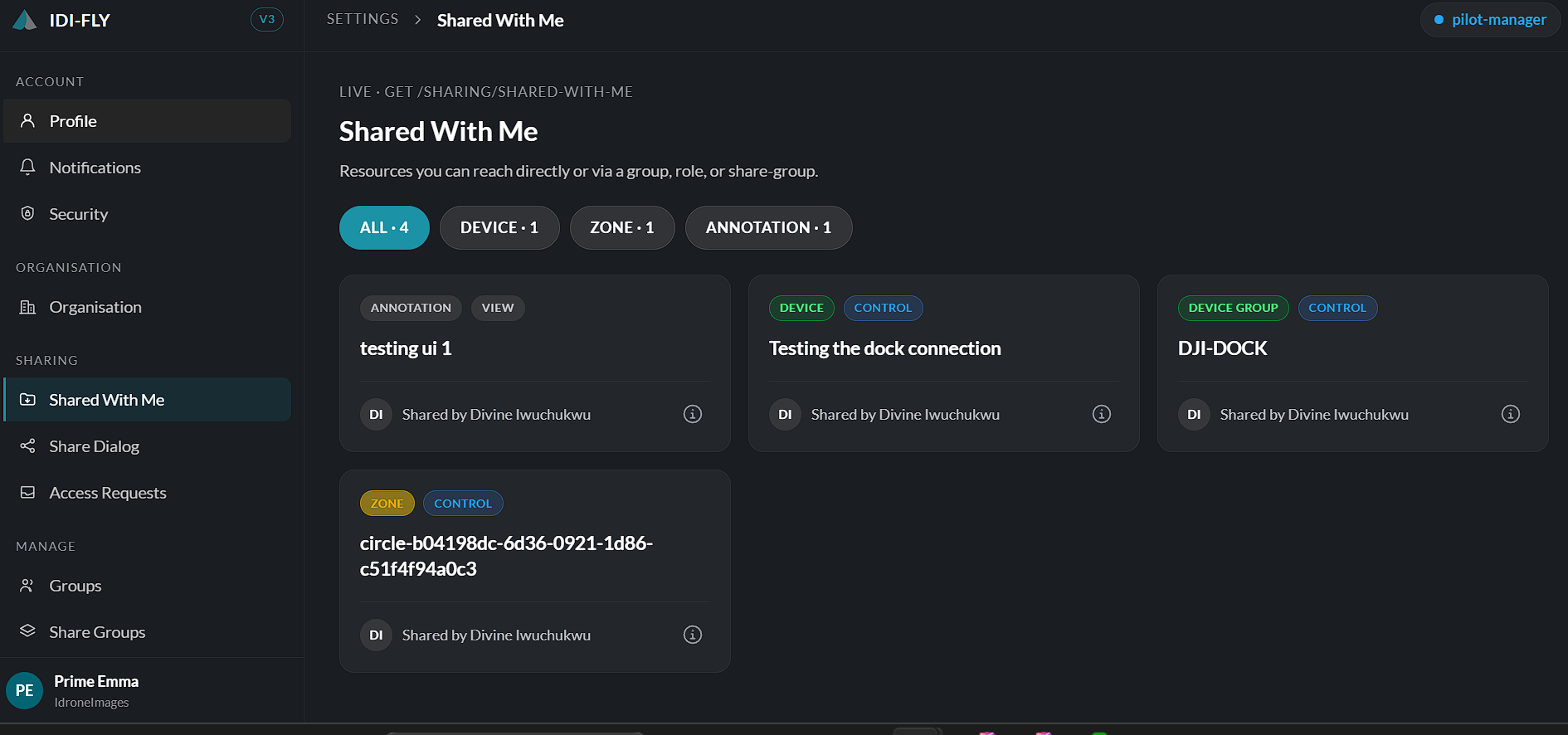
Accessing Shared Resources
Navigate to:
Settings → Shared With Me
The page displays a categorized list of all resources available to your account.
Resource Categories
Resources are organized into categories displayed at the top of the page. Selecting a category filters the list to show only resources of that type.
Available categories include:
- Devices
- Device Groups
- Missions
- Zones
- Notes
- Organisation
- User Groups
- Share Groups
- Viewer Links
Each category displays the total number of shared resources available.
Searching for Resources
A search field is provided to help locate a specific shared resource.
Enter part or all of the resource name to filter the displayed results.
Opening a Shared Resource
To access a shared resource:
- Select the appropriate resource category.
- Locate the required resource using the search bar or browse the list.
- Select the resource to open it.
The actions available after opening a resource depend on the permissions that were granted when the resource was shared.
Permission Levels
Resources displayed on this page may provide different levels of access depending on the permissions assigned by the owner.
Depending on the resource, users may be able to:
- View the resource.
- Edit the resource.
- Manage the resource.
If you require additional permissions, you can request access from the resource owner, subject to your organization's sharing policies.
Note: The resources displayed on this page are automatically updated as new resources are shared with you or when existing permissions are modified or removed.