Profile
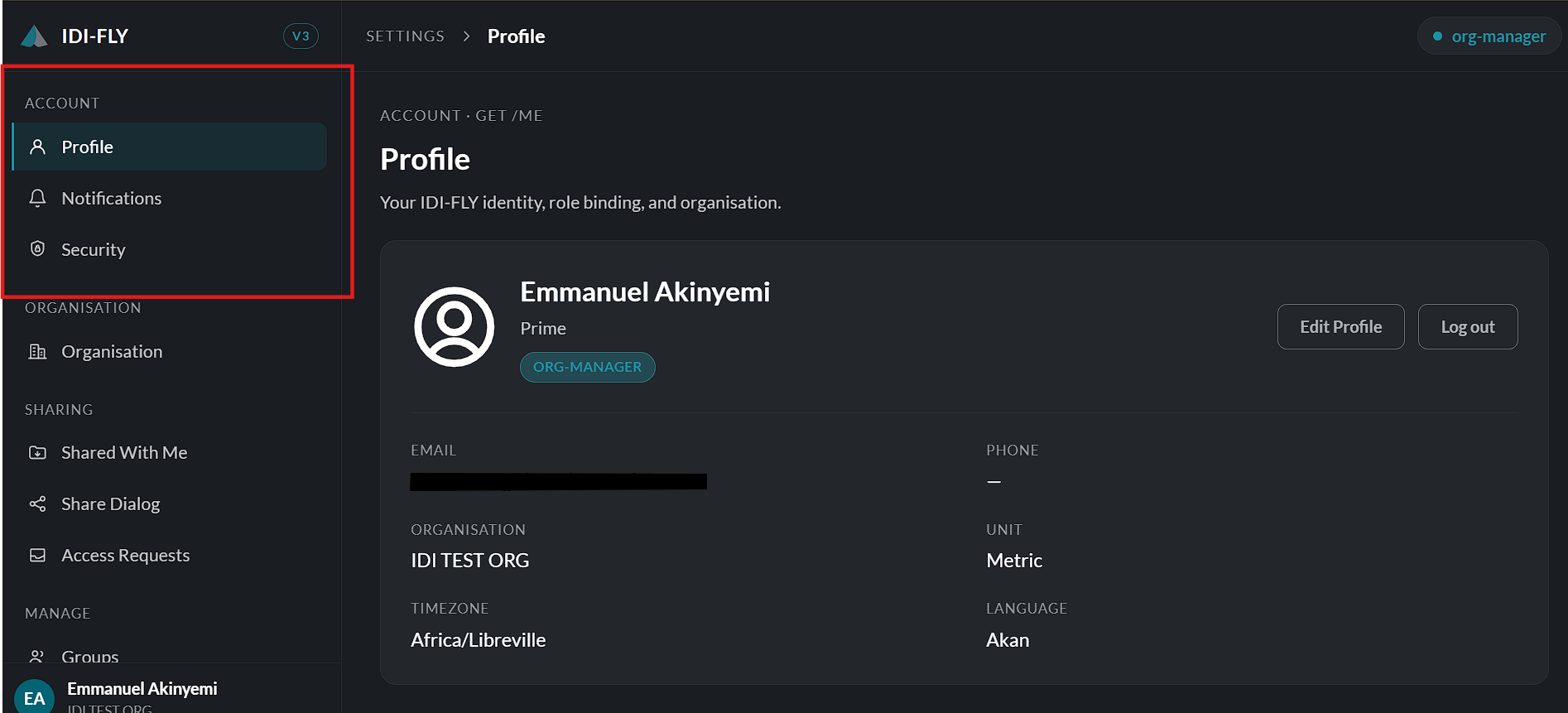
The Profile page displays your account information and provides the option to update your personal details.
To edit your profile:
-
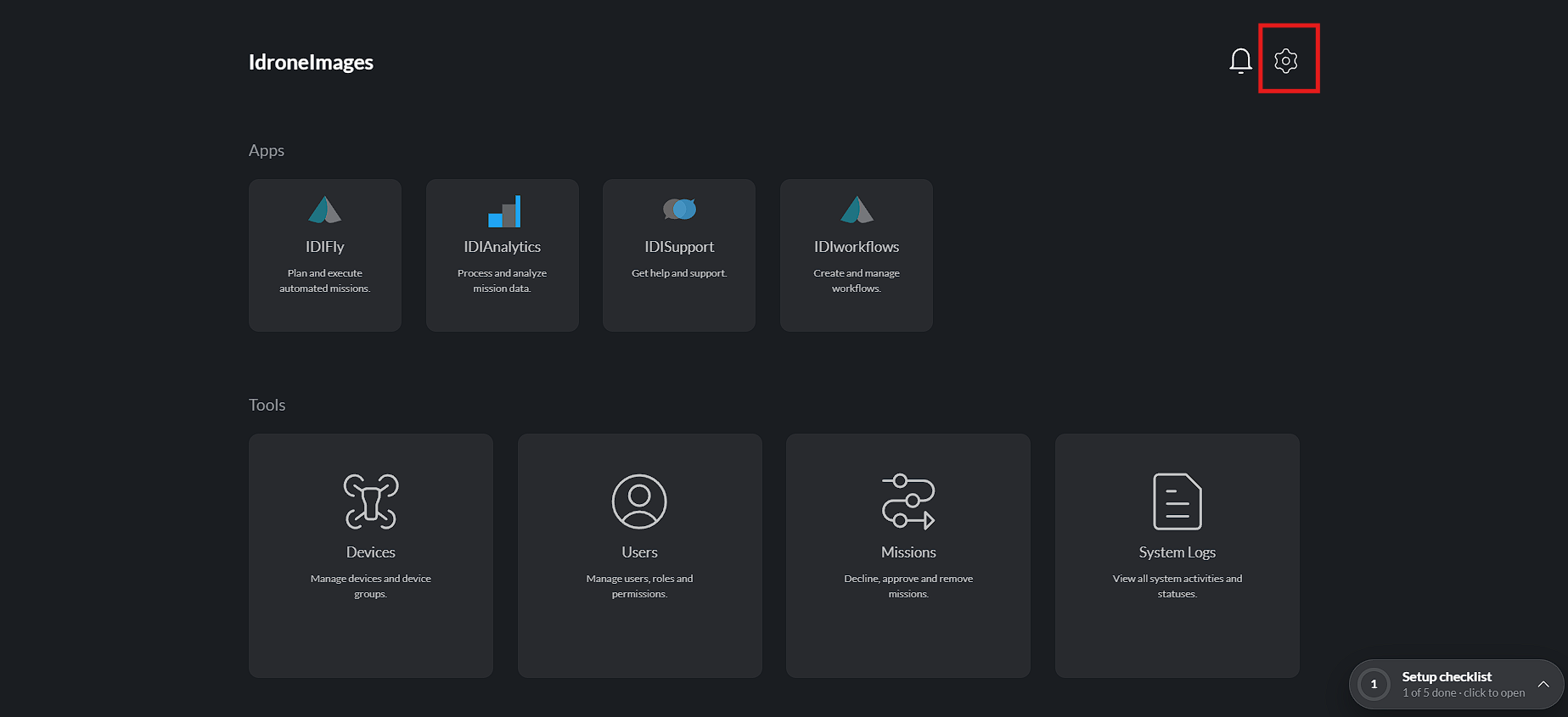
Navigate to Settings > Profile.
-
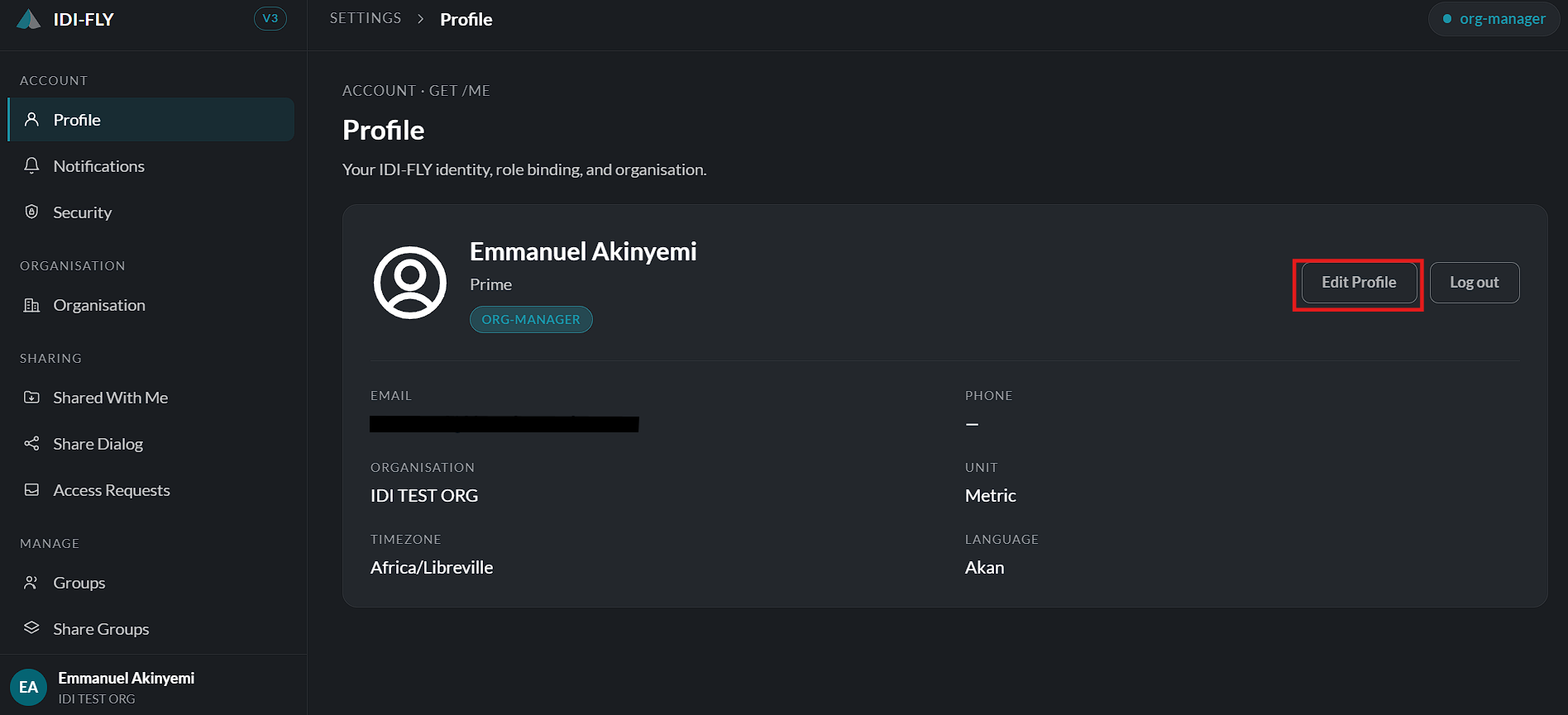
Click Edit Profile.
-
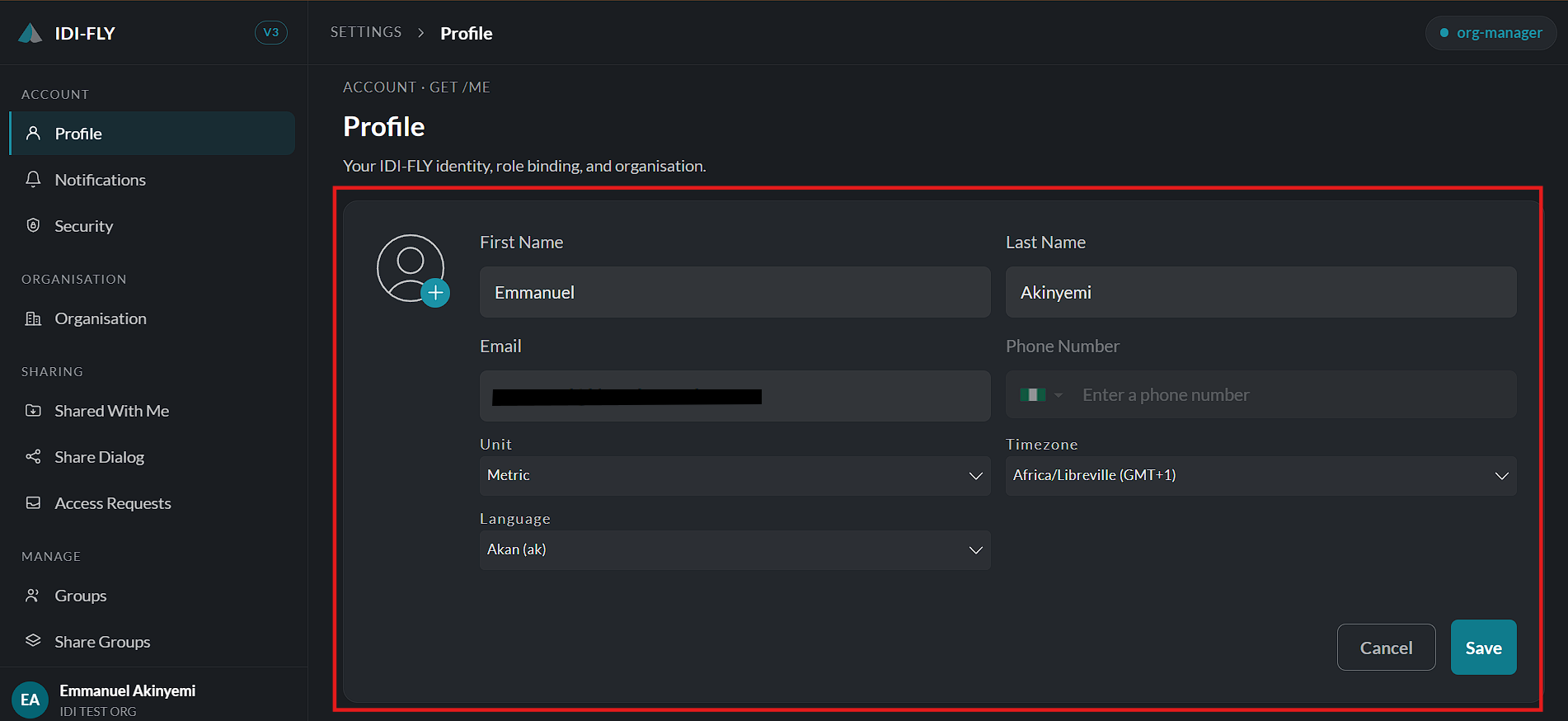
Update any of the following information:
- Full Name
- Assigned Role (read-only)
- Email Address (read-only)
- Organization (read-only)
- Phone Number
- Preferred Unit
- Time Zone
- Language
-
Click Save to apply the changes or Cancel to discard them. Your updated preferences are applied across the platform once the changes have been saved.