Device Takeover
When a device is in use by another operator, you can request or force takeover to gain control. There are two methods to take over a device.
Method 1: Via User Management
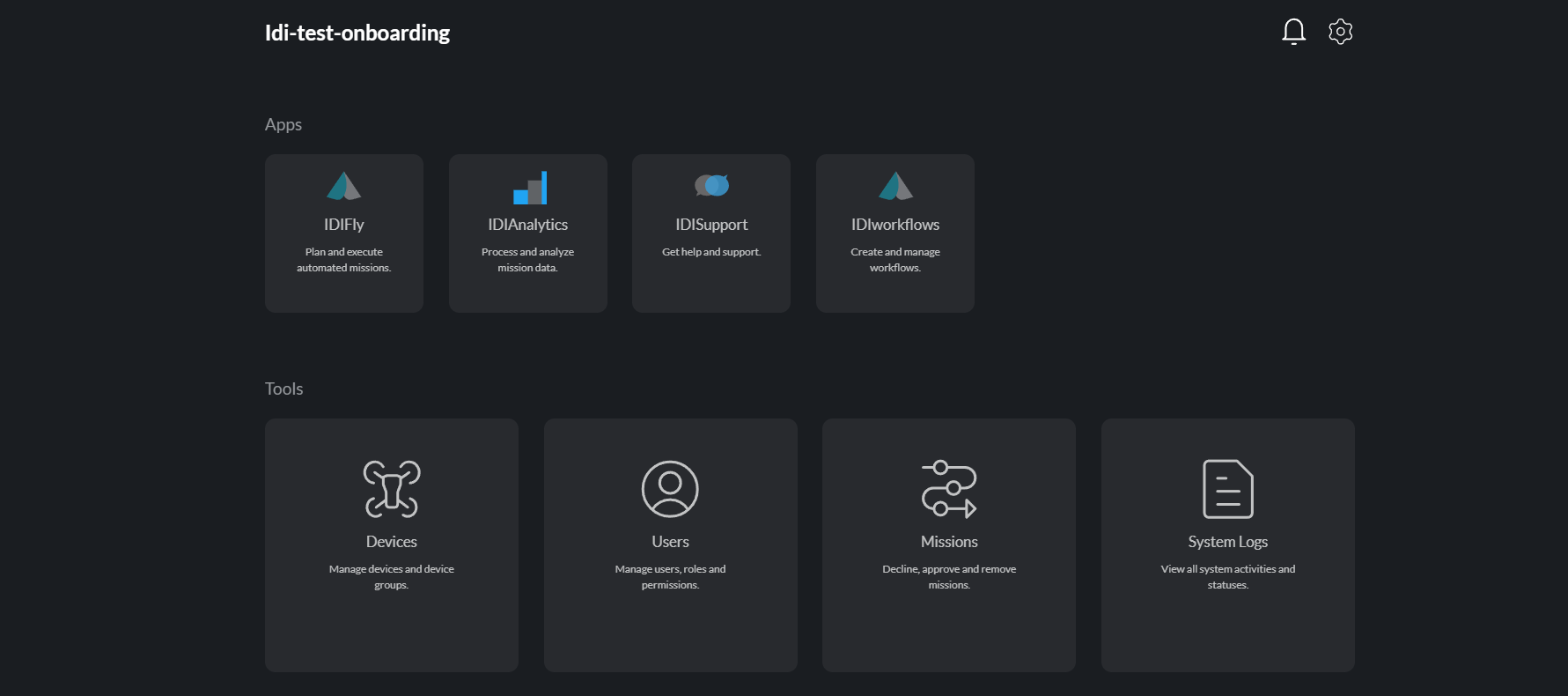
Step 1: Open User Management
Navigate to User Management from the administration panel.
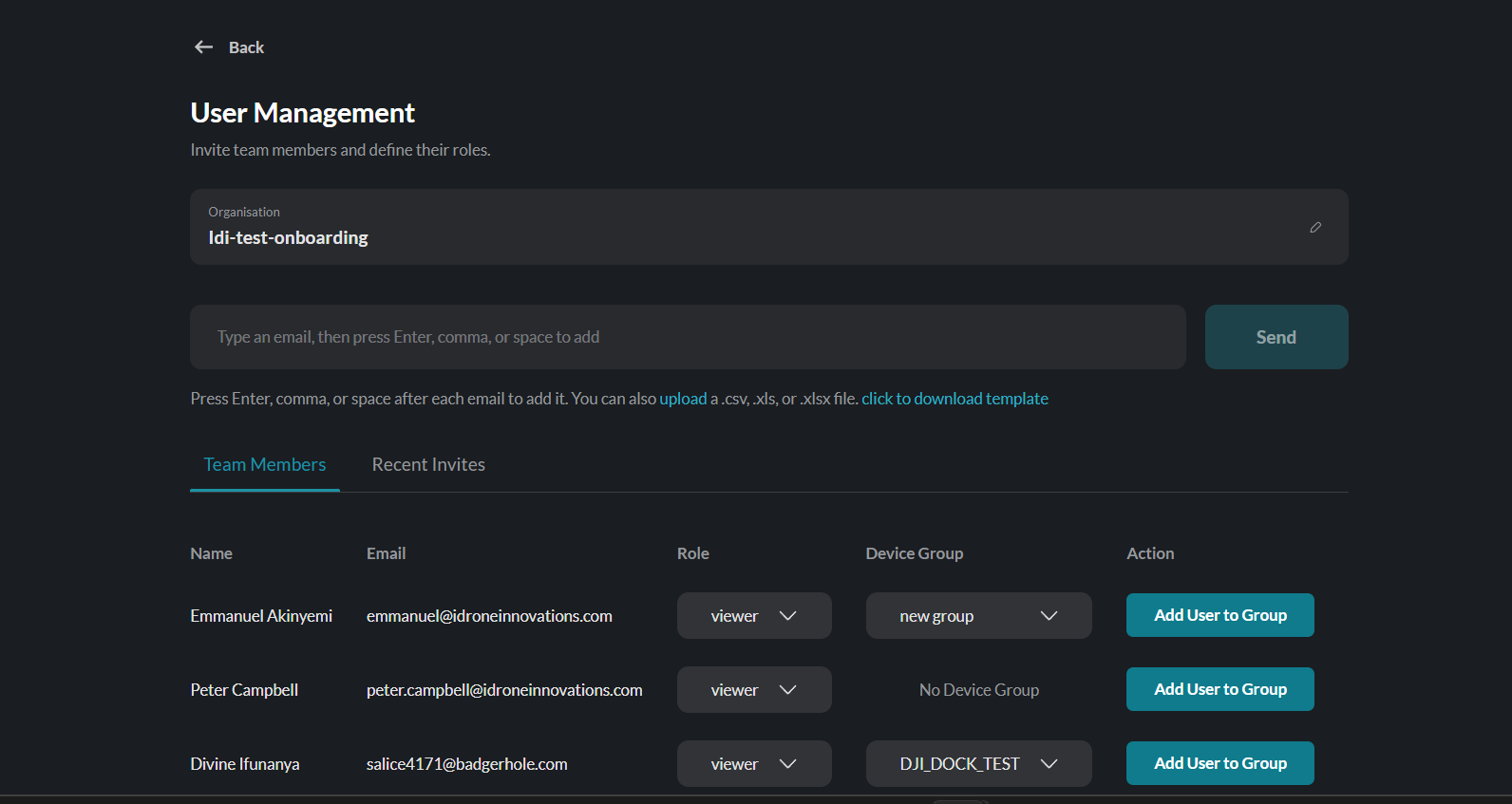
Step 2: Add User to Group
Select the user and assign them to the appropriate device group.
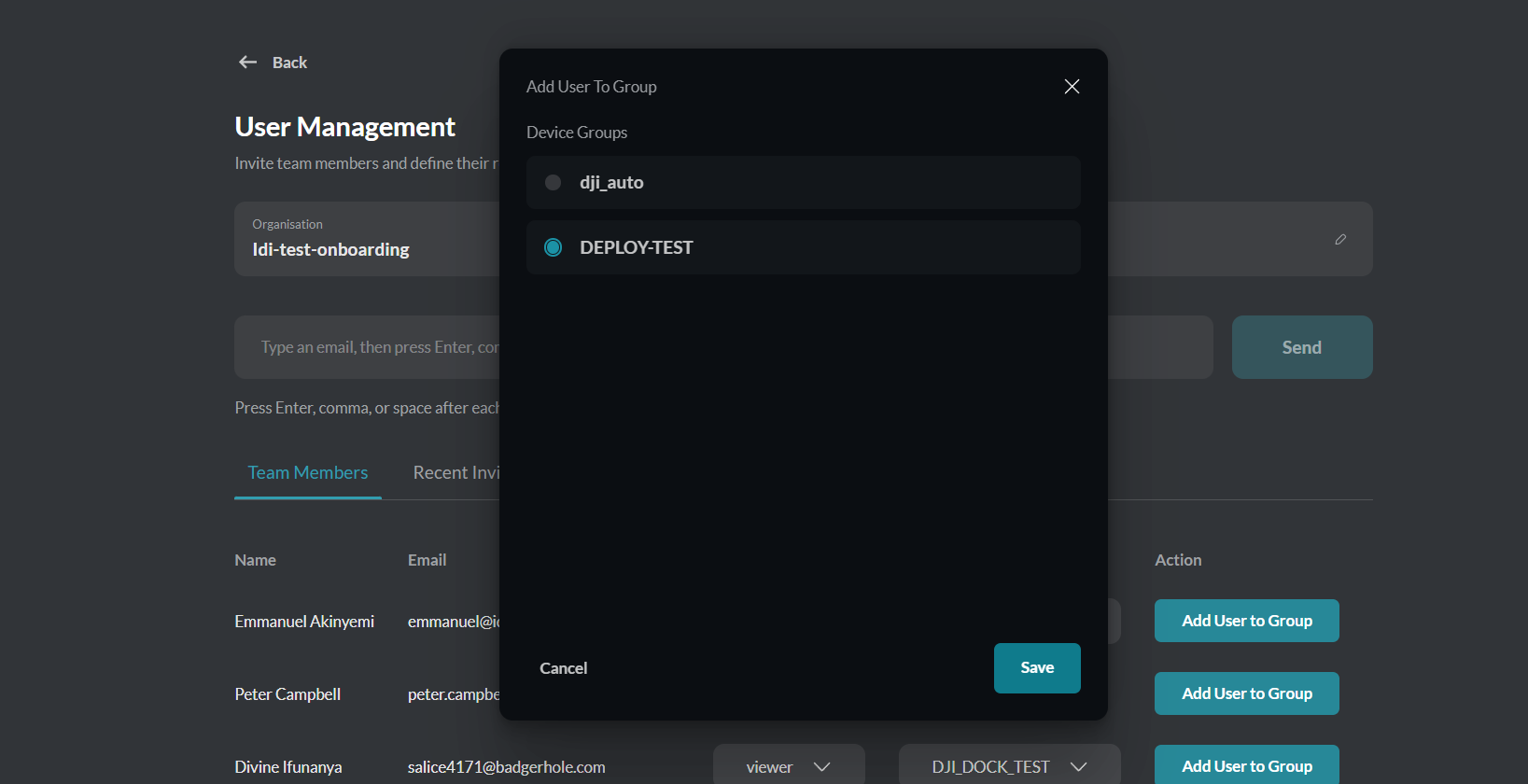
Step 3: Select a Group
Choose the device group that contains the device you want to take over.
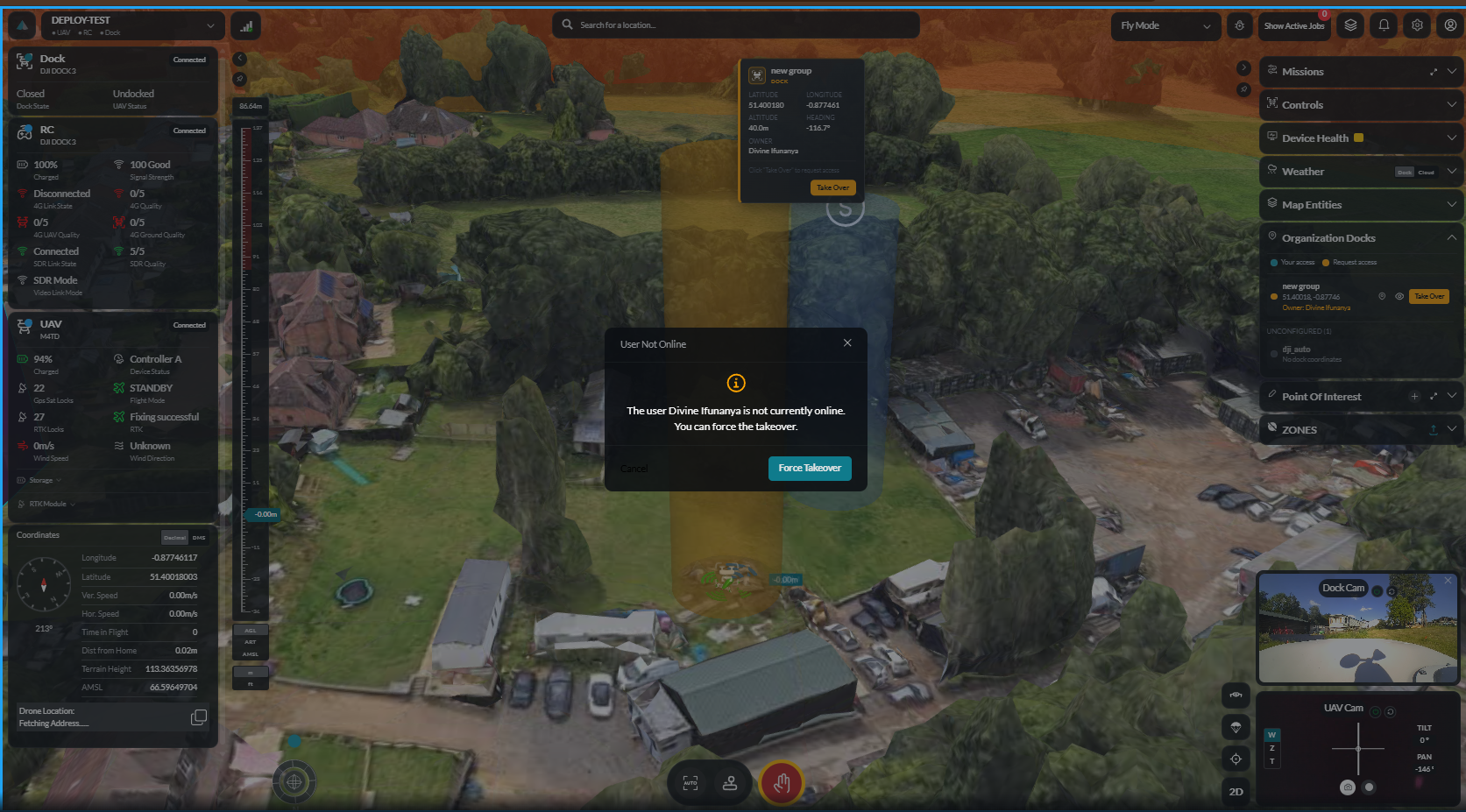
Step 4: Takeover
If the device is not in use, you can take over immediately. If the device is currently in use, a takeover prompt is sent to the current operator. The operator can accept or decline the request. If the operator does not respond, Force Takeover can be used.
Method 2: Via Dashboard
From the dashboard interface, select the device and initiate a takeover directly. If the device is in use, a prompt is sent to the current operator. If there is no response, force takeover becomes available.
Related
- Multi-Dock Management — Taking over dock stations
- Device Pairing — Adding devices to your fleet