Renaming a Device
Device names can be changed to make individual devices easier to identify.
- Locate the device you want to rename.
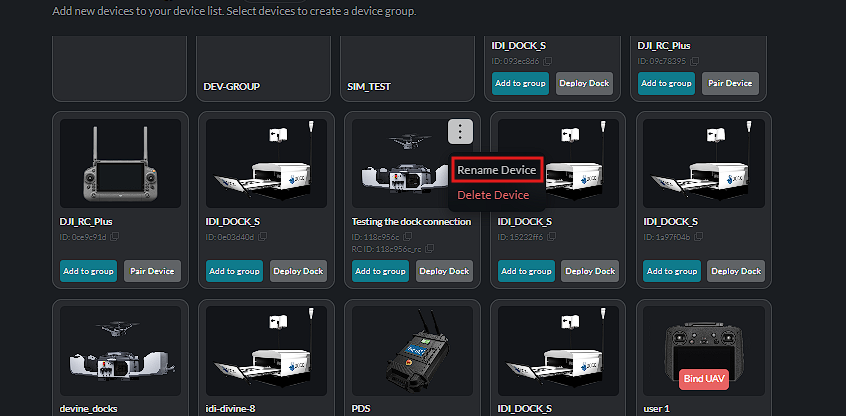
- Click the More Options (ellipsis) icon.
- Select Rename Device.
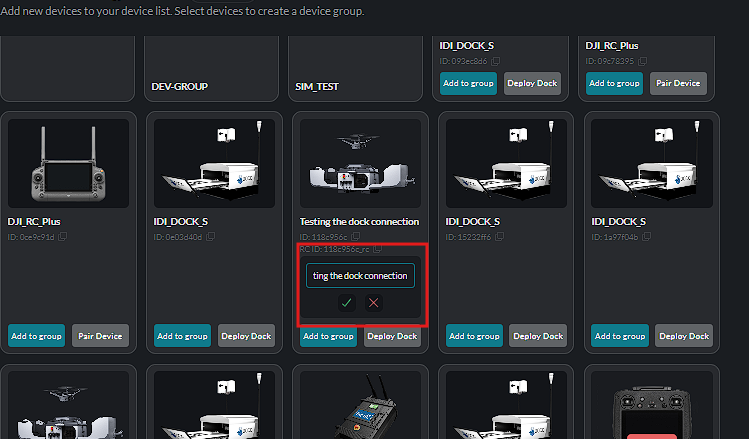
- Enter the new device name.
- Click the green check mark to save the new name.
- Click the red X to cancel the change.
Choose Rename Device from the device options:
Enter the new name in the text box:
Save with the green check mark, or discard the change with the red X:
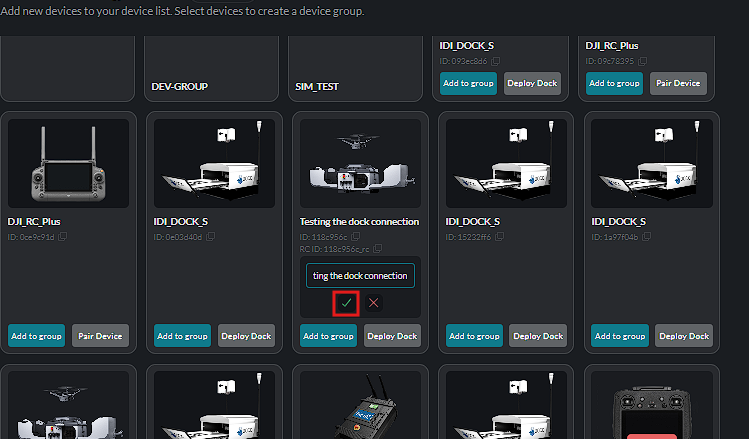
The updated name is displayed on the device card after the change is saved.