Un-editable Mission
Imported missions are managed separately from editable missions and must first be uploaded to the connected aircraft.
Launching an Imported Mission
To launch an imported mission:
-
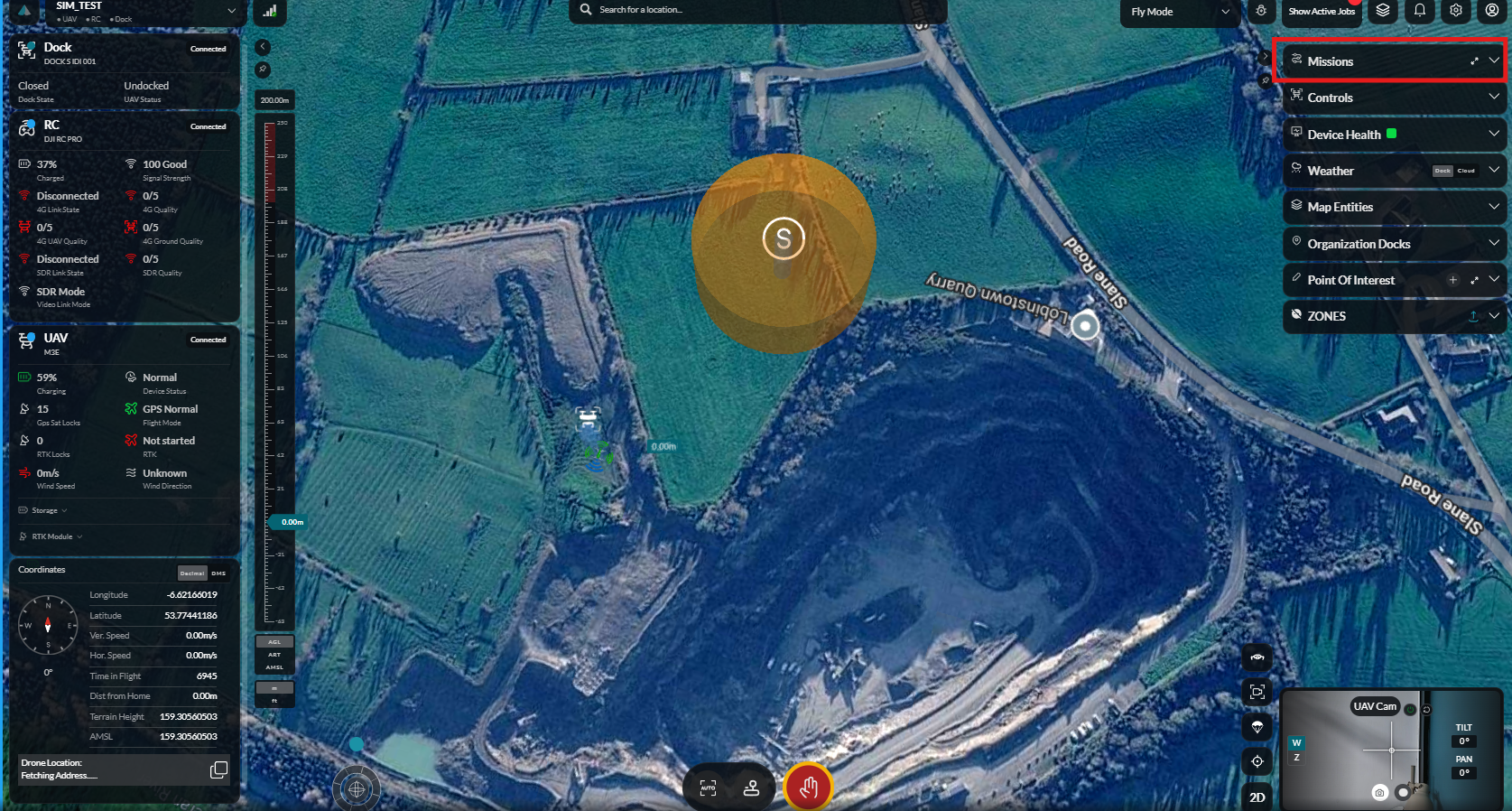
Open the Missions section.
-
Select Uneditable Missions.
-
Locate the imported mission.
-
Click the Options menu.
-
Select Upload to Drone.
-
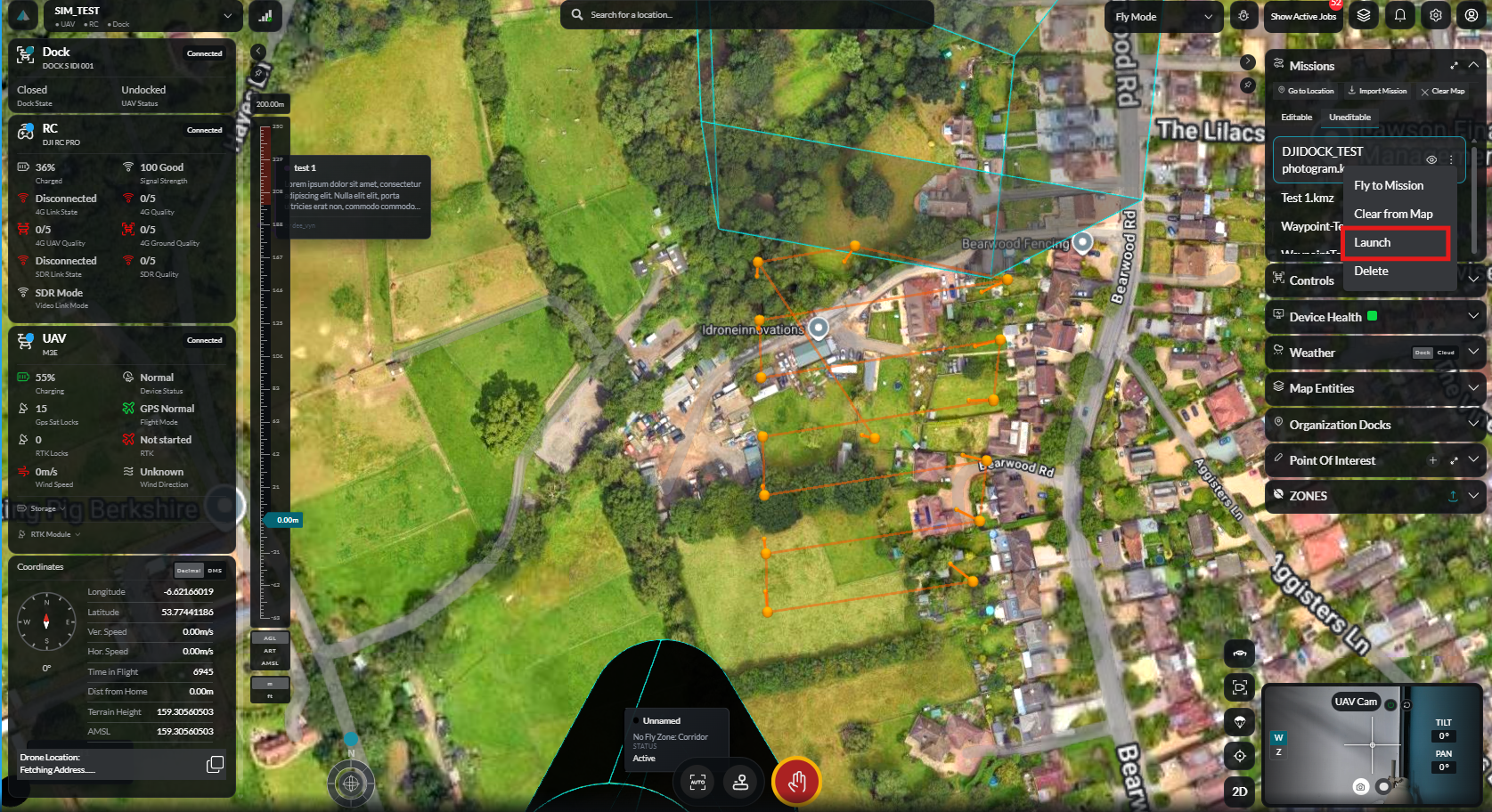
Once the upload is complete, open the Options menu again.
-
Click Launch Mission.
-
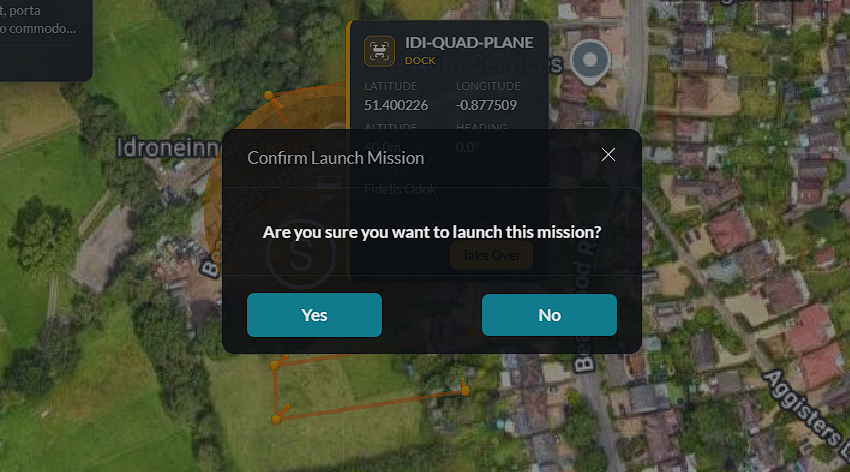
Confirm the mission launch.
-
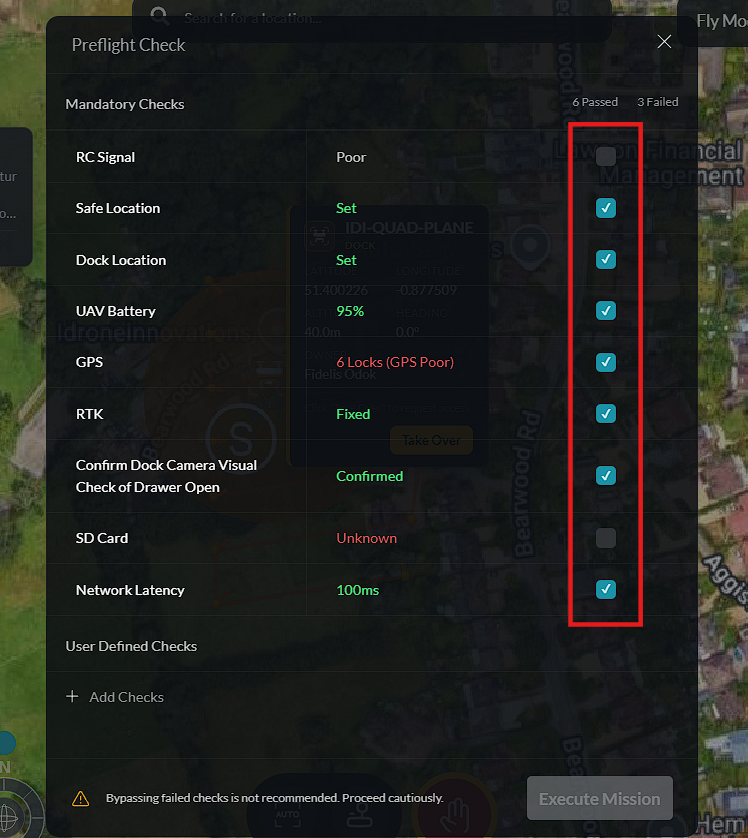
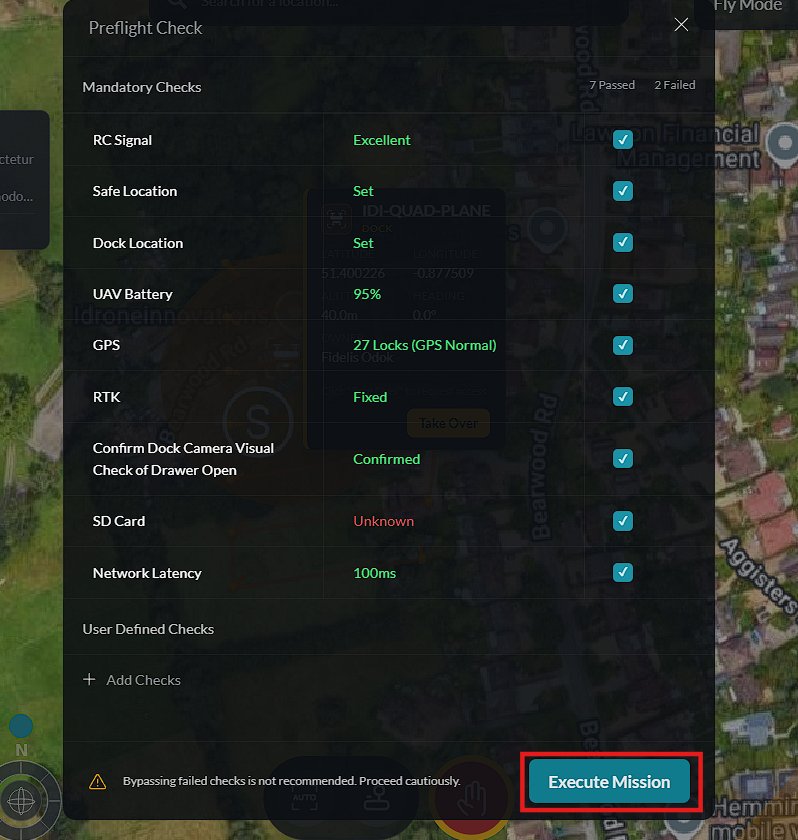
Complete the required Pre-flight Checks.
-
Click Execute Mission.
A Mission Success notification is displayed once the mission begins successfully.
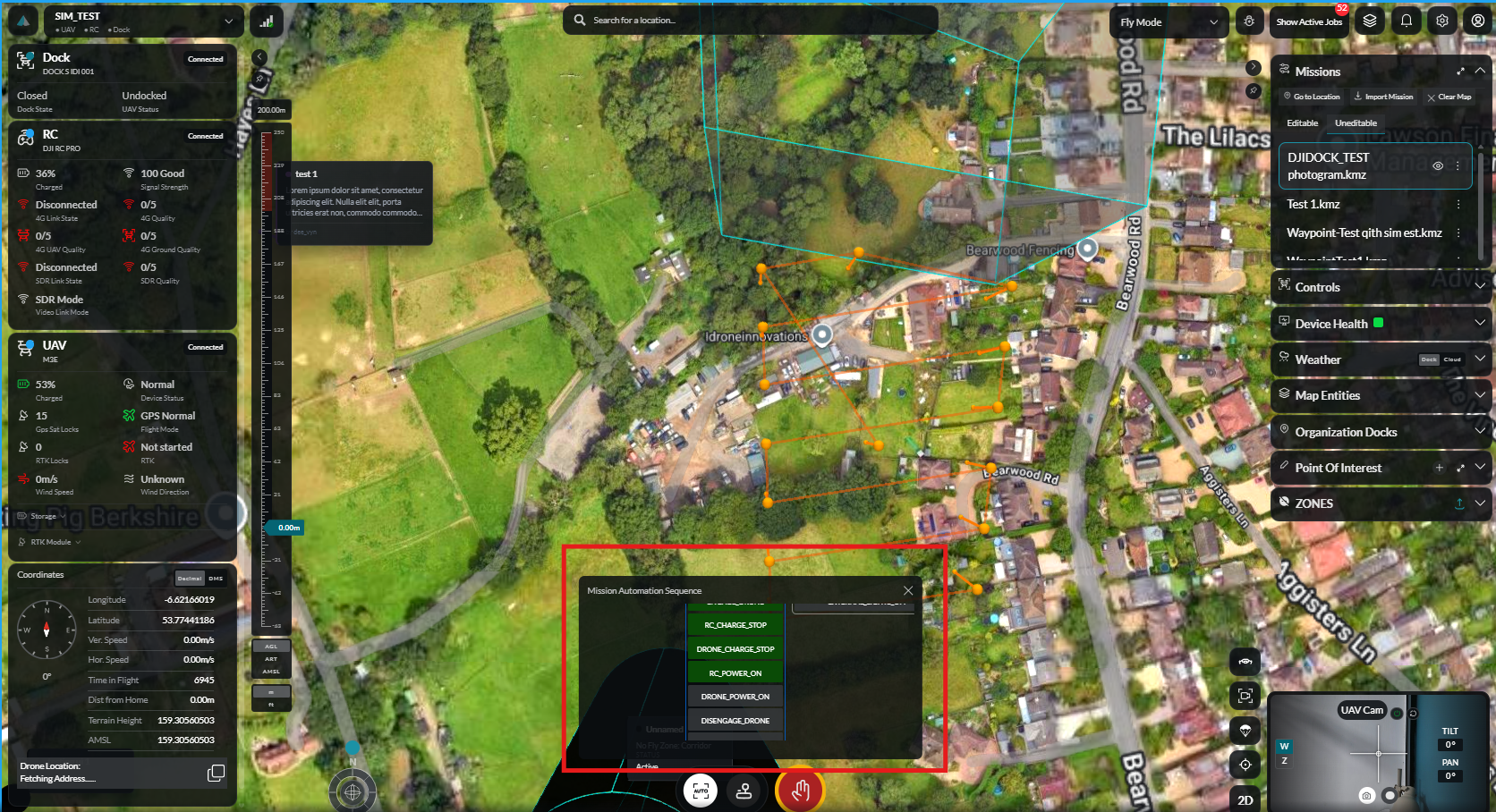
During execution, the Mission Sequence Viewer displays the current mission progress. Operators can monitor the mission, issue a Return to Dock command, or activate Emergency Stop if immediate intervention is required.